-
CALL US:
- (866) 952-3456

If you're staring down another workday with a sore back, you're not alone. The good news is that the solution might be sitting right under you—or at least, it should be. An ergonomic chair isn't just another piece of office furniture; it’s a critical tool for your health and productivity, specifically designed to push back against the aches and pains of sitting all day.
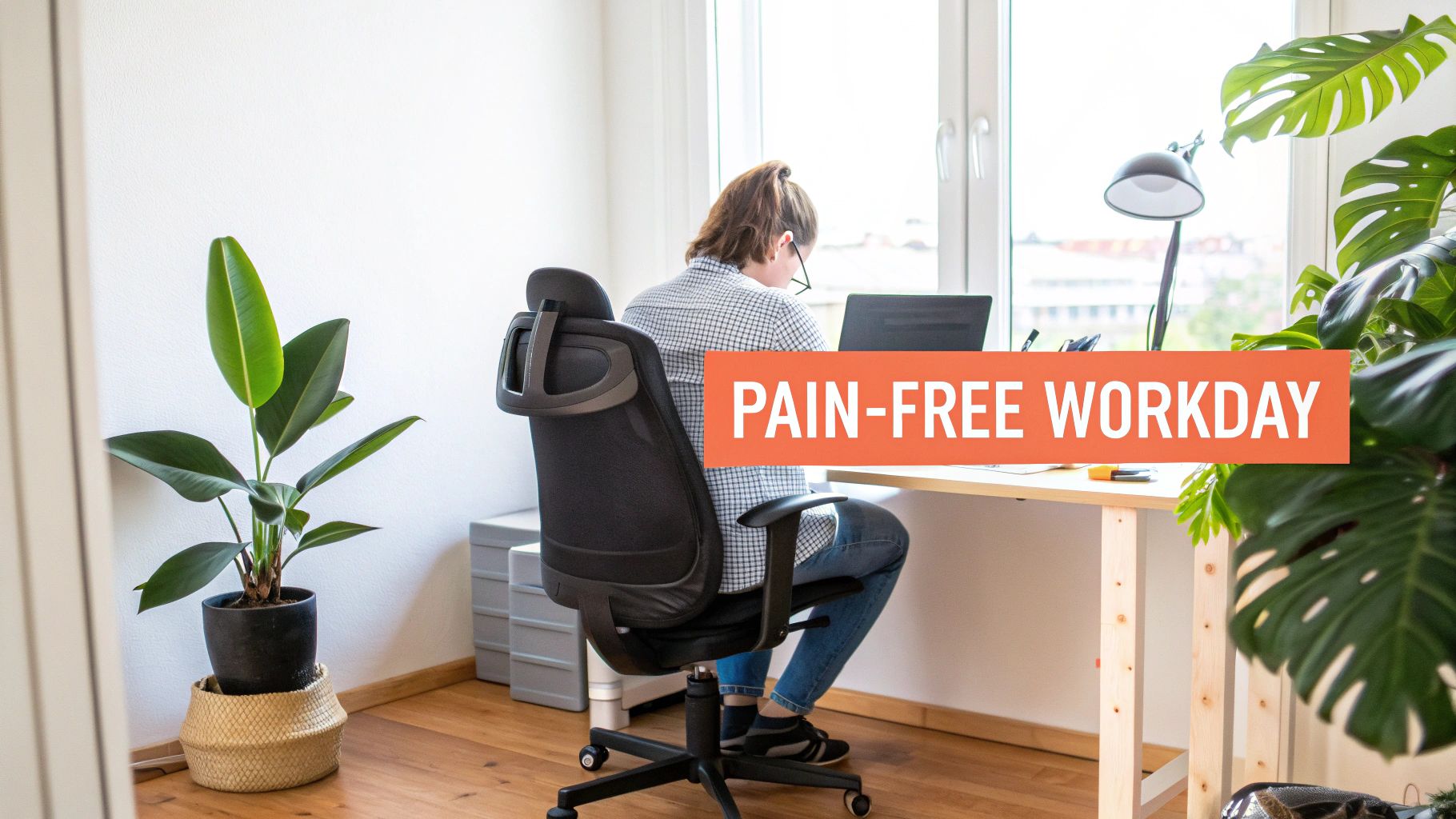
Think of it like getting custom orthotics for your spine. A standard, one-size-fits-all chair often forces your body into awkward, unnatural positions, which is a recipe for discomfort and long-term problems. The best ergonomic office chairs, on the other hand, adapt to you.
This guide is your roadmap to figuring out what makes a chair truly ergonomic, what features to look for, and how to use it to finally get some relief. While the right chair is a huge piece of the puzzle, remember that it's just one part of a healthy workspace. You can explore other home office must-haves that work together to keep you comfortable and focused.
The benefits here aren't just about feeling a little more comfortable. We're talking about a measurable impact on your health. Study after study shows that when office workers use properly adjusted ergonomic chairs, they experience a significant drop in low back pain. It's a direct line between the right support and your well-being.
This science-backed approach zeroes in on chairs that offer three core things:
When you invest in the right chair, you're not just buying a place to sit. You're investing in your long-term spinal health. It’s the foundation for better posture, less pain, and sharper focus, turning your desk into a place of comfort, not consequence.
So what does "ergonomic" really mean when it comes to your back? It’s not just a buzzword. It’s the science of making a chair that works with your body, instead of forcing your body to conform to the chair. This isn't just a trend; it's a completely different way of thinking about wellness at your desk.
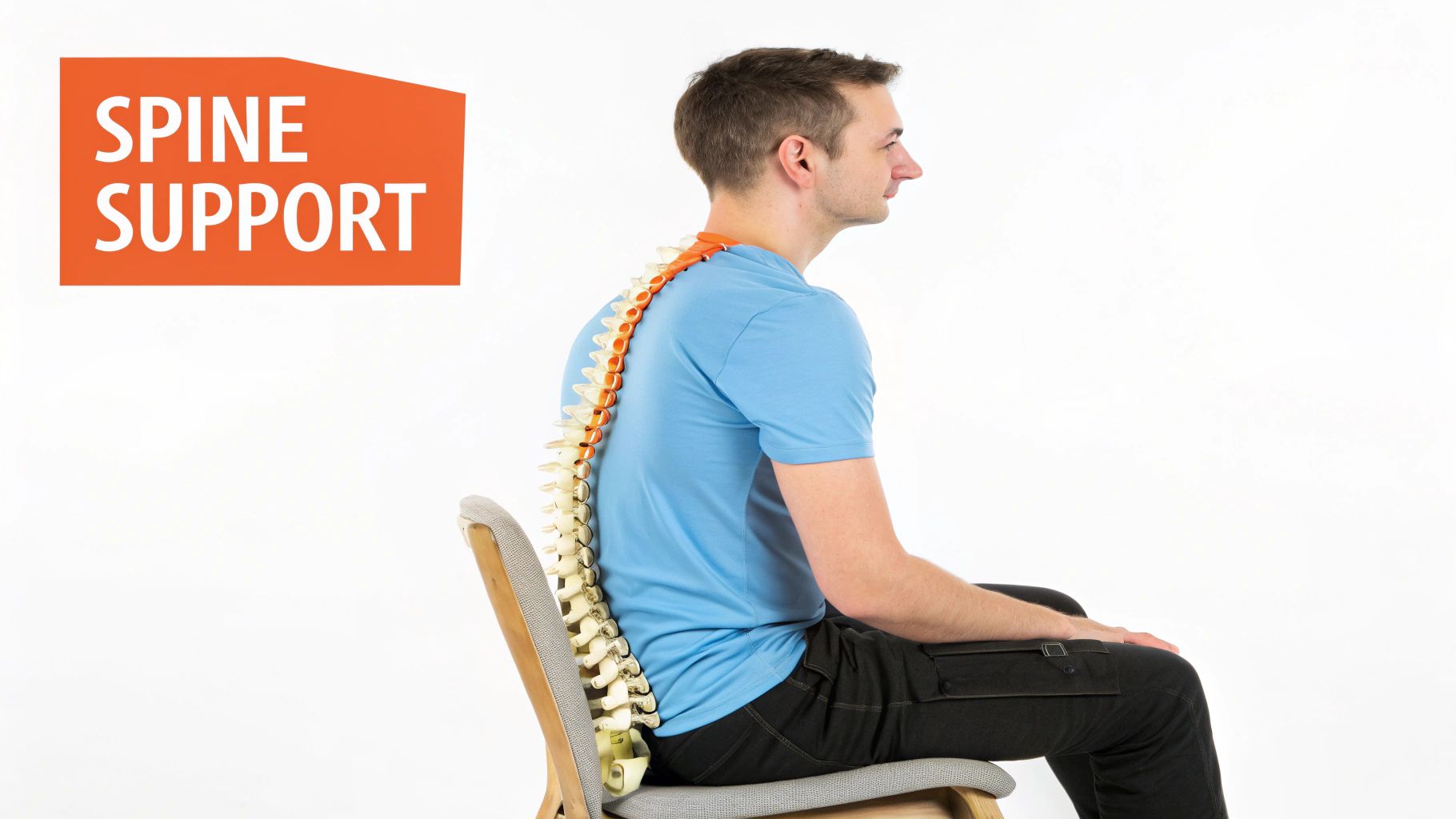
Picture your spine as a suspension bridge—it's an amazing structure, but it needs the right support in the right places to keep from getting strained. A generic office chair is like sticking a flat, rigid plank under that bridge. It offers almost no real support and forces your spine’s natural “S” curve into a painful “C” shape, putting a ton of pressure on your spinal discs.
This is exactly where the best ergonomic office chairs for back pain step in. They act like a custom-built support system for that bridge, reinforcing its natural curves instead of fighting them.
Even when you're sitting, you aren't completely still. You shift your weight, you reach for your coffee, you lean forward to focus. A proper ergonomic chair is designed to move right along with you, giving you constant support through all those little adjustments. It’s all about active sitting, not just plopping down on a cushion.
A poorly designed office chair encourages bad posture, which really adds up over months and years. An ergonomic chair, on the other hand, actively reduces the strain that can make existing pain worse and helps create a much more supportive environment for your back.
This dynamic movement is possible because of a few key features working together:
One of the most important jobs of an ergonomic chair is to spread your body weight out evenly. This prevents painful pressure points from forming, especially on your lower back and tailbone. You’ll often see features like a "waterfall" seat edge, which slopes downward to take the pressure off the back of your thighs and improve circulation.
People are catching on to these health benefits, and it shows. The global ergonomic chair market hit a value of around USD 12.21 billion in 2024 and is expected to nearly double by 2034. That kind of growth shows a massive shift in understanding that good seating is a non-negotiable tool for fighting widespread problems like back pain. You can find more insights on the ergonomic chair market growth at Expert Market Research.
At the end of the day, an ergonomic chair is a biomechanical tool. It's designed to reduce the crushing forces on your spine, keep your core muscles engaged just enough so they don’t get weak, and promote a healthy posture. By doing all that, it directly fights the physical stress that leads to chronic back pain from sitting all day.
Ready to find an office chair that actually helps your back pain? It's easy to get lost in flashy marketing claims, so let's cut through the noise. Think of this as your practical shopping list, focusing on the five core features that separate a truly supportive chair from one that just looks the part.
First up, and arguably the most important, is dynamic lumbar support. This isn't just a generic curve built into the chair's back. A fixed curve is just a guess, and your spine deserves better. You need an adjustable mechanism designed to fit the unique shape of your lower back. Look for chairs that let you move the lumbar piece up and down for height, and in and out for depth. This is how you guarantee the support lands exactly where you need it, preventing that afternoon slouch that leads to nagging pain.
Next, you have to look at the seat pan controls. How your legs are positioned has a huge impact on your overall posture. If a seat is too long, it will dig into the back of your knees, cutting off circulation and tilting your pelvis backward into an unhealthy slump. If it’s too short, your thighs won't have enough support. The solution is an adjustable seat depth. You want to be able to slide the seat forward or backward to leave a gap of about two to three fingers between the seat’s edge and the back of your knees. This simple adjustment keeps your feet flat on the floor and helps maintain a healthy, neutral spine.
Don't ever forget the armrests. 4D armrests are what you should be looking for. The "4D" means they adjust in four different directions: up/down, forward/backward, side-to-side, and they can pivot inward or outward. This level of control might seem like overkill, but it's crucial for taking the tension off your neck and shoulders. When you get them set just right—with your elbows at a comfortable 90-degree angle—your shoulders can finally relax instead of hunching up towards your ears.
A truly ergonomic chair is a system of adjustable parts working in harmony. Each feature, from lumbar support to armrests, plays a role in creating a personalized fit that reduces strain and promotes a healthy posture throughout the workday.
A good chair should encourage you to move, not lock you into one position. That's where advanced recline and tilt functions come in. Sitting completely still all day is terrible for your back. You want a chair with a synchronized tilt mechanism, which means the backrest and the seat move together in a coordinated way when you lean back. This keeps you fully supported without putting strain on your back or legs. A tension knob is also a must-have, as it lets you dial in how much resistance you feel when you recline, making the movement feel totally natural.
Finally, pay attention to the high-performance materials. Breathable mesh is fantastic for keeping you cool and it conforms nicely to your body's shape. High-density foam, on the other hand, offers a firmer, more cushioned feel. The best chairs use durable, responsive materials that provide lasting comfort without caving in and compromising the support your spine needs to stay aligned for hours on end.
It's no surprise that market trends show customizable chairs are the most popular, especially online where buyers can compare these critical features side-by-side. As more people demand personalized support, adjustability has become the name of the game. You can check out more findings on the ergonomic chair market at Fortune Business Insights.
Finding the "best" ergonomic office chair for back pain isn't about grabbing the most expensive one off the shelf. It’s about finding the one that truly fits you—your body, your work habits, and of course, your wallet. Instead of just another top-ten list, we're breaking down our recommendations based on real-world situations.
This way, you end up with a chair that doesn't just look impressive but actually gives you the relief you're looking for. Each pick zeroes in on the key features that tackle the most common causes of back pain from sitting all day.
If you're dealing with nagging or chronic back pain, a top-tier chair is less of a splurge and more of a long-term investment in your health. These chairs are engineered with seriously advanced, dynamic support systems that literally adapt to your every twitch and turn.
The real game-changer here is a highly responsive lumbar system that works together with a synchronized tilt. This combo makes sure your lower back is constantly supported, whether you’re sitting bolt upright focusing on a spreadsheet or leaning back to take a call. It's all about reducing that cumulative strain on your spine, and while they cost more, the build quality and targeted support are often worth every penny for serious pain management.
The right chair for chronic pain acts like a therapeutic tool. It actively works to keep your spine aligned and reduce pressure, creating a better environment for healing and pain relief.
You really don't have to empty your bank account to get meaningful back support. The best budget-friendly chairs nail the core ergonomic functions and skip the fancy, unnecessary extras. These chairs are proof that you can get essential adjustability without a shocking price tag.
Keep an eye out for models with reliable, adjustable lumbar support, seat height control, and decent armrest mobility. They might not have the premium leather or the crazy range of motion of a high-end chair, but they provide the fundamental support you need to stop slouching and hold a healthier posture. They're a fantastic choice for anyone looking to upgrade from a basic office chair without breaking the bank.
A chair that doesn't fit your body can be just as bad as a completely non-ergonomic one. Most standard chairs are built for an "average" person, which often leaves tall and petite folks with terrible support.
With the rise of hybrid work, flexibility is everything—and your chair should be just as adaptable. The most versatile chairs are typically lightweight, super adjustable, and can comfortably work for different people or different tasks throughout the day.
These chairs often have a breathable mesh back to keep you cool during long work sessions and simple, intuitive controls that make it easy to change settings on the fly. Their adaptability makes them perfect for a home office that might pull double duty as a shared workspace. A versatile chair is a smart move for anyone splitting their time between different work spots and needing consistent support no matter where they are.
Now that we've covered the different types, let's put some of the top models side-by-side.
To make your decision a little easier, we've put together a quick comparison of some leading chairs. This table highlights what each one does best, who it's for, and what you can expect to pay.
| Chair Model | Key Ergonomic Feature | Price Range | Best For |
|---|---|---|---|
| Herman Miller Aeron | PostureFit SL back support that adjusts to your spine's natural curve | $$$$ | Chronic pain and long-term daily use |
| Steelcase Gesture | 360-degree rotating arms that support a wide range of postures | $$$$ | Users who move a lot and use multiple devices |
| Branch Ergonomic Chair | 7 points of adjustment including lumbar support and seat depth | $$$ | A balance of premium features and value |
| Secretlab TITAN Evo | 4-way L-ADAPT™ Lumbar Support System for customized support | $$$ | Gamers and professionals who sit for long hours |
| HON Ignition 2.0 | Adjustable lumbar support and breathable mesh back | $$ | Budget-conscious buyers needing core features |
Ultimately, the best chair on this list is the one that best fits your body and your daily routine. Think of this table as a starting point to narrow down your options before diving into the specifics of your top contenders.
Getting one of the best ergonomic office chairs for back pain out of the box is a great start, but the real magic happens when you dial in the settings to fit your body perfectly. A proper setup is what turns a good chair into a truly great one—an extension of you that works to take the strain off, not add to it.
The whole process is guided by one simple idea for a healthy posture, often called the "90-90-90 rule." It’s just an easy way to remember the goal: creating a neutral, supported position where your ankles, knees, and hips are all bent at roughly 90-degree angles. This alignment takes a ton of stress off your joints and spine, but you have to adjust your chair in the right order to get there.
Think of it like tuning a guitar; each adjustment affects the next one. You always want to start from the ground up to build a solid foundation for your posture.
The infographic below really helps visualize what you should be thinking about before you even start twisting knobs and pulling levers.
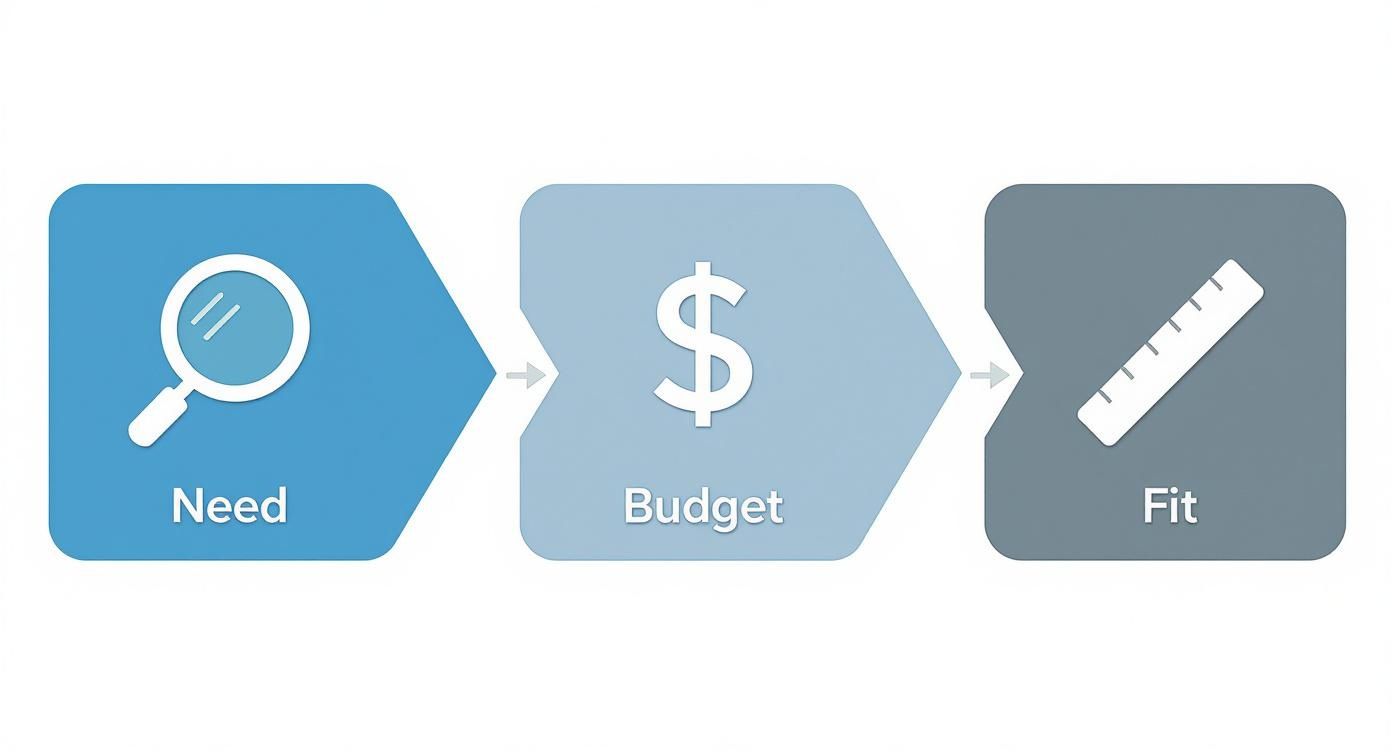
As you can see, figuring out your needs, budget, and ideal fit are the first steps to picking a chair that can actually be adjusted properly for you.
Even with a top-of-the-line chair, tiny setup mistakes can completely undo all the benefits. A really common one is setting the seat too deep. This forces your pelvis to tilt back, which flattens out your lower back into a painful "C" curve.
Another one? Forgetting about the armrests altogether. This can lead to nagging shoulder and neck strain that never seems to go away. Getting the setup right is non-negotiable, and for anyone who wants it perfect from the get-go, getting professional help with office chair assembly makes sure every single piece is installed correctly and ready for you to fine-tune.
Remember, the goal of an ergonomic chair is to support a healthy posture, not force it. Your adjustments should feel natural and comfortable, gently guiding your body into alignment without creating new aches or pains.
Of course, even the world's best chair won't help if you don't use it right. A perfect setup is half the battle; the other half is maintaining that posture all day. Learning more about proper sitting posture at your desk can provide that lasting comfort. When you combine a perfectly adjusted chair with a little mindfulness about how you sit, you create a workspace that truly has your back.
Your new chair is the star player, but even the best ergonomic office chairs for back pain can’t win the game on their own. To get that lasting, all-day comfort, you need to build a complete ergonomic ecosystem where every piece of your setup works together.
Think of it like a network. Your chair is the central hub, but the connections to your monitor, keyboard, and mouse are just as crucial. If any of those are out of whack, you'll find yourself undoing a lot of the good your new chair is trying to do.
To really nail it, it helps to understand the principles of effective space planning for your entire office. A smart layout cuts down on all the little twists and reaches that add up to big aches, complementing the support your chair provides.
First things first, let's tackle the monitor. Position it directly in front of you so the top of the screen is at or just a hair below eye level. This one tweak stops you from craning your neck forward and prevents that all-too-common neck and shoulder pain.
Next up are your keyboard and mouse. You want to place them close enough that your elbows can rest comfortably by your sides, bent at a 90-degree angle. It sounds simple, but this takes a surprising amount of strain off your shoulders and upper back.
A truly supportive workspace anticipates your body's needs. It’s not just about the chair; it’s about creating an environment where healthy posture is the easiest, most natural choice.
Finally, don't forget that your body is built to move. Whether it’s swapping in a standing desk for part of the day or just taking a quick two-minute walking break every hour, movement can dramatically amplify your chair’s benefits.
Putting together a complete, supportive system is easier than you might think. For a more detailed walkthrough, check out our guide on how to set up a home office.
So you’re ready to invest in an ergonomic office chair. It’s a big decision, and it’s completely normal to have a few final questions before you pull the trigger. After all, getting clear answers is the best way to make sure your new chair actually delivers the back pain relief you're looking for.
One of the first things people wonder about is how long it takes to get used to one. It can take anywhere from a few days to two weeks for your body to fully adjust. Why? Because the chair is actively correcting what might be years of bad posture. At first, it can feel a little strange as your muscles learn what proper alignment feels like again.
When you’re looking at materials, you’ll see two main options: mesh and foam. Both are great choices, but they’re built for different preferences.
Honestly, there’s no single "best" choice here—it all comes down to what you find most comfortable. If you want a chair that keeps you cool and adapts to your movements, mesh is a fantastic pick. If you’d rather have a solid, cushioned seat, foam is probably the way to go.
An ergonomic chair is a powerful tool for preventing and relieving back pain caused by poor posture, but it's part of a broader wellness strategy that includes regular movement and proper lifting.
It's not a magic fix for underlying medical conditions, but it creates the perfect foundation for a healthy sitting posture, which is a huge piece of the puzzle for managing daily discomfort. Speaking of heavy lifting, even that new chair box can be surprisingly awkward to move. It’s always a good idea to brush up on safe lifting techniques to make sure you don't cause a new strain before you’ve even unboxed your solution.
Ready for a perfect setup without the stress? Let Assembly Smart handle the heavy lifting and tricky instructions. Book your professional chair assembly today!