-
CALL US:
- (866) 952-3456

A truly great home office setup comes down to four things: ergonomics so you're comfortable, smart lighting to keep eye strain at bay, solid organization to cut down on clutter, and a bit of personalization to keep you motivated. Nail these four, and you've got the secret sauce for a work-from-home space you'll actually enjoy being in.

The big shift to remote work has completely changed how we think about our homes. A well-designed workspace isn't just a nice-to-have anymore; it's essential for getting things done, staying focused, and drawing a clear line between work life and home life.
The numbers don't lie. In 2023, a full 28% of employees around the world worked remotely, a big jump from just 20% back in 2020. And despite what some managers might think, studies have shown over and over that this shift hasn't hurt output. In many cases, productivity stays the same or even gets a boost.
This guide is all about moving past the generic advice and giving you a real blueprint for an office you'll be happy to use every day. It's about building a space that supports you by getting the fundamentals right.
To build a workspace that truly clicks, it helps to focus on four essential pillars. Each one tackles a different part of your environment, and when they come together, you get a setup that's cohesive and incredibly effective.
Before you start, it's a good idea to think about how these elements will fit into your room. Our guide to furniture placement ideas can give you a hand in visualizing the final layout.
Let’s break down what makes a truly functional home office. The table below outlines the four key pillars that turn any corner of your house into a powerhouse of productivity.
| Pillar | Key Focus | Goal |
|---|---|---|
| Ergonomics | Your body's alignment and comfort | To prevent strain and support long-term health. |
| Lighting | A mix of natural and artificial light sources | To reduce eye fatigue and boost your mood. |
| Organization | Smart storage and clutter-free surfaces | To create a clear, distraction-free work zone. |
| Personalization | Decor and touches that reflect your style | To build a motivating and inspiring environment. |
By paying attention to these four areas, you're not just setting up a desk and chair; you're creating a space designed for success.
By thoughtfully addressing these four areas, you can transform any corner of your home into a hub of efficiency and well-being. The goal is to build a space that not only supports your work but also helps you disconnect when the day is done.
For more in-depth advice and practical tips, check out this fantastic guide on creating an inspiring home office that will really work for you.
Where you put your home office is just as important as the chair you sit in. The right spot can make you more focused and help create a real separation between work and home life. The wrong one? It's a recipe for constant interruptions and burnout. Before you even think about buying furniture, the first real step is to take a hard look at your home's layout and find the best possible spot.
Don't get hung up on needing a dedicated room with a door. While that’s fantastic if you have it, a truly functional workspace can be carved out of almost any home. You just have to be strategic and really honest with yourself about how you work and what the daily rhythm of your household looks like.
Start by walking through your home and scouting out all the potential spots. I mean everything—a spare bedroom, an unused corner in the living room, a wide hallway, maybe even a spacious walk-in closet. As you size up each option, keep these things in mind.
A classic mistake is picking a spot because it looks good, not because it works. That beautiful little nook under the stairs might be perfect for Instagram, but if it's the main highway for your family and pets, it's pretty much useless as a serious workspace.
Once you’ve picked your location, it’s time to plan the layout. You don't need fancy software for this—a simple sketch on a piece of paper with some rough measurements is all it takes. This is the step that makes sure your furniture actually fits and your workflow makes sense.
First, measure the whole area. Note the dimensions of the walls, windows, and any doorways. Think about how you’ll move around. Can you easily slide your chair back without hitting a wall? Is there enough room to open drawers all the way?
Next, map out your workflow. What do you need to be able to grab without getting up? Your printer, key files, and reference books should all be within arm's reach. Planning this "work triangle"—the path between your chair, your main equipment, and your storage—just makes your day go so much smoother.
If you're working with a really tight space, the right furniture is everything. You can find some fantastic ideas in our guide to the best desks for small spaces; it’s packed with options to help you make the most of every square inch.
Finally, your plan needs to include a way to create a clear mental boundary. When your office is part of a shared space like the living room, you absolutely need a way to "close up shop" at the end of the day.
This can be a physical barrier or just a simple ritual.
This simple act of separation is what helps your brain switch from "work mode" to "home mode." It’s a small habit that pays off big time for your mental well-being, protecting your personal time and stopping work from creeping into every corner of your life.
Let's be honest, spending eight hours a day hunched over a laptop is just asking for back pain, wrist strain, and that feeling of being completely drained by 3 PM. An ergonomic setup isn't some luxury add-on; it's the very foundation of a productive and healthy home office. The goal is simple: make your workspace fit your body, not the other way around.
This is all about getting ahead of the problem. By making smart, intentional choices with your core equipment—your chair, desk, and monitor—you can prevent that nagging discomfort before it ever starts. This keeps your focus sharp and your energy levels up, supporting your well-being for the long haul.
If you're going to splurge on one thing, make it your chair. Think about it—it's where you spend most of your day, and its impact on your posture and overall health is huge. A cheap, unsupportive chair might save you money now, but it can lead to serious aches and pains down the road.
When you're shopping for a chair, you need to look for a few key adjustable features:
Investing in a quality chair is a direct investment in your health. If you're already dealing with discomfort, our guide to the best ergonomic office chairs for back pain has some solid, detailed recommendations to help you find the perfect fit.
Your desk is the centerpiece of your workspace, and getting the height right is critical. If a desk is too high, you'll find yourself shrugging your shoulders all day, which leads to neck and shoulder pain. Too low, and you're forced to hunch over. The sweet spot is a height that lets your arms rest comfortably at your sides, with your elbows bent at about a 90-degree angle.
For most people, a standard desk height of 28-30 inches works just fine, especially when you pair it with a good adjustable chair. But if you're taller or shorter than average, you should seriously consider a height-adjustable (sit-stand) desk. They give you the ultimate flexibility, letting you switch between sitting and standing, which studies show can boost your energy and cut down on the health risks of sitting all day.
Putting together a healthy workspace takes some careful thought. This visual guide really simplifies the core steps, walking you through everything from the initial assessment to the final layout.
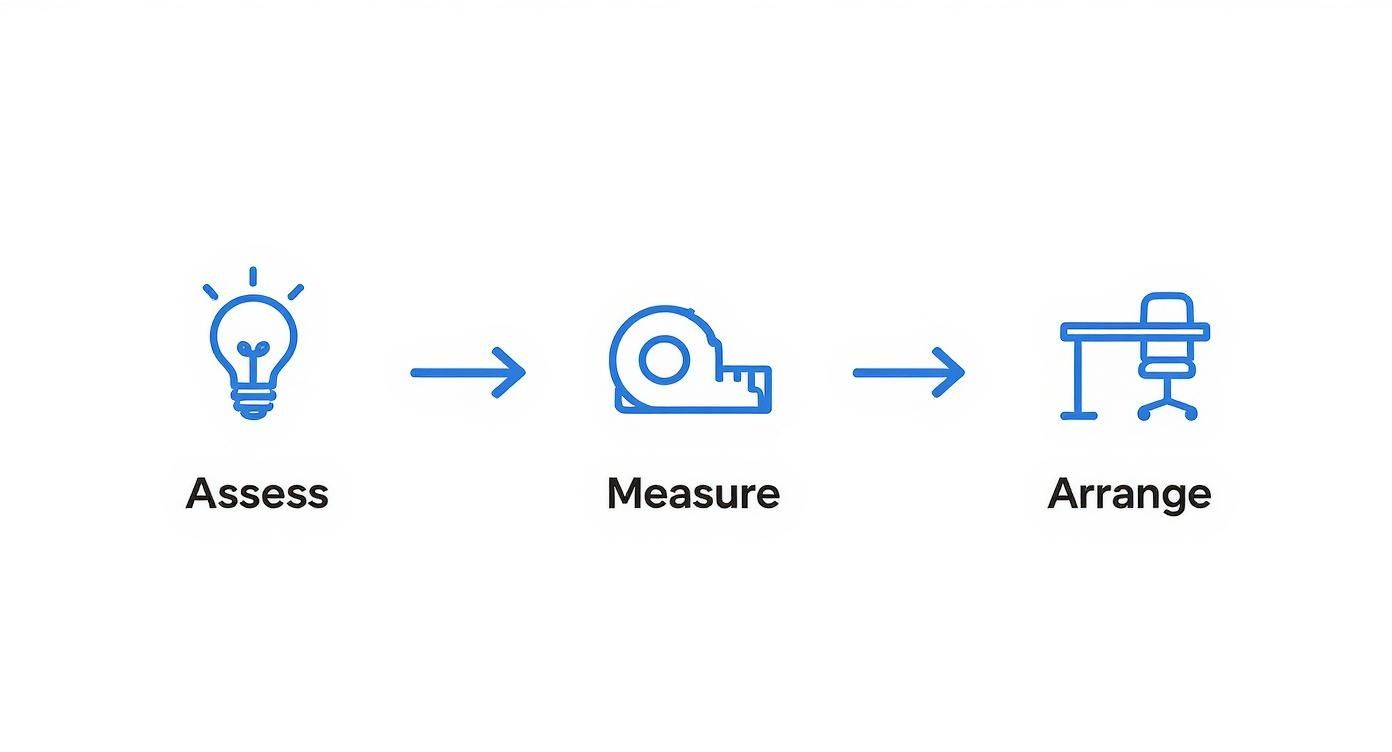
As you can see from the infographic, a great setup starts with figuring out your needs, getting the measurements right, and then thoughtfully arranging your furniture and gear.
Once you've got your main furniture in place, the last piece of the puzzle is positioning your tech correctly. Honestly, this is where a lot of home office setups fall flat.
Monitor Placement
Your screen needs to be directly in front of you, about an arm's length away. The top of the monitor should be at or just a hair below your eye level. This simple adjustment prevents you from tilting your head up or down—a very common cause of neck strain.
Here's a quick trick: close your eyes for a second. When you open them, your gaze should naturally land on the top third of your screen. If it doesn’t, you need to adjust it. A monitor stand or even a stack of sturdy books works perfectly.
Keyboard and Mouse Positioning
Keep your keyboard and mouse close to each other and on the same level surface. As you type, your wrists should be straight, not bent up, down, or sideways. Try to avoid resting your wrists on the desk itself; let them float just above the keyboard. A wrist rest can be great for providing support when you're taking a break, but you shouldn't use it while you're actively typing.
This focus on good ergonomics is more important than ever. As of 2025, over half of the global workforce (51%) is on a hybrid work schedule, splitting their time between home and a traditional office. This means our home offices are no longer just temporary fixes—they are a permanent part of our professional lives. That requires a real investment in the right furniture and technology to support everything from video calls to long stretches of deep, focused work.
The quality of light and sound in your office are two of the most overlooked, yet powerful, factors that dictate your focus and mood. A dim, noisy room will drain your energy and kill your productivity flat. On the flip side, the right environment can make deep, focused work feel almost effortless.
Engineering this atmosphere isn't as complicated as it sounds. It really just comes down to making smart, intentional choices to control what you see and hear. These invisible forces shape your ability to concentrate, look professional on video calls, and just feel good throughout your workday. Get a handle on a few key principles, and you can transform a distracting corner into a calm, focused sanctuary.
Good lighting is the cornerstone of any productive home office. It cuts down on eye strain, gives your mood a little boost, and can even help regulate your sleep cycle. The best place to start? With the free stuff: sunlight.
Positioning your desk to take advantage of natural light is a total game-changer. I’ve found the ideal spot is usually where the window is to your side. This setup gives you plenty of brightness without causing that frustrating glare on your screen that you always get when a window is directly behind you.
Of course, the sun doesn't always cooperate. That’s where a layered lighting strategy comes in.
For your desk lamp, look for a bulb with a color temperature between 3000K and 5000K. This range mimics natural daylight and is fantastic for keeping you alert.
Don't underestimate the impact of your light bulbs. Swapping a harsh, cool-toned overhead bulb for a warmer one on a dimmer can instantly make your office feel more welcoming and less like a sterile corporate cube.
In a busy home, background noise is the ultimate enemy of concentration. Constant interruptions from family, pets, or street traffic can completely derail your train of thought. Getting the sound in your office under control is just as critical as managing the light.
The good news is you don't need to soundproof the entire room to notice a huge improvement. Some simple additions can make a world of difference by absorbing sound waves instead of letting them bounce all over the place.
Start by adding soft materials. An area rug can do wonders to dampen echoes, especially if you have hardwood floors. Heavy curtains are great because they do double duty—they help control light and are excellent at absorbing sound from outside. Even adding a plush armchair or a few throw pillows will help soak up some of that unwanted noise.
For those of us who need a seriously quiet environment for important calls or intense focus sessions, a few extra tools can create a true acoustic oasis.
If you want to take your sound control to the next level, consider these options:
By thoughtfully addressing both your visual and auditory environment, you’re building a workspace that actively supports your best work. It just makes it that much easier to stay focused, productive, and comfortable all day long.
A clean workspace is the secret weapon of productivity, but it’s tough to keep things tidy when your desk is swimming in cables, chargers, and random tech gadgets. Taming this digital and physical clutter isn't just about looking organized; it’s about creating a streamlined environment where you can actually focus.
Getting this right involves two key things: picking the right technology that actually helps you work better, and then putting smart systems in place to keep all the wires and accessories neatly tucked away. Get these right, and you'll find your desk becomes a much calmer, more efficient place to be.
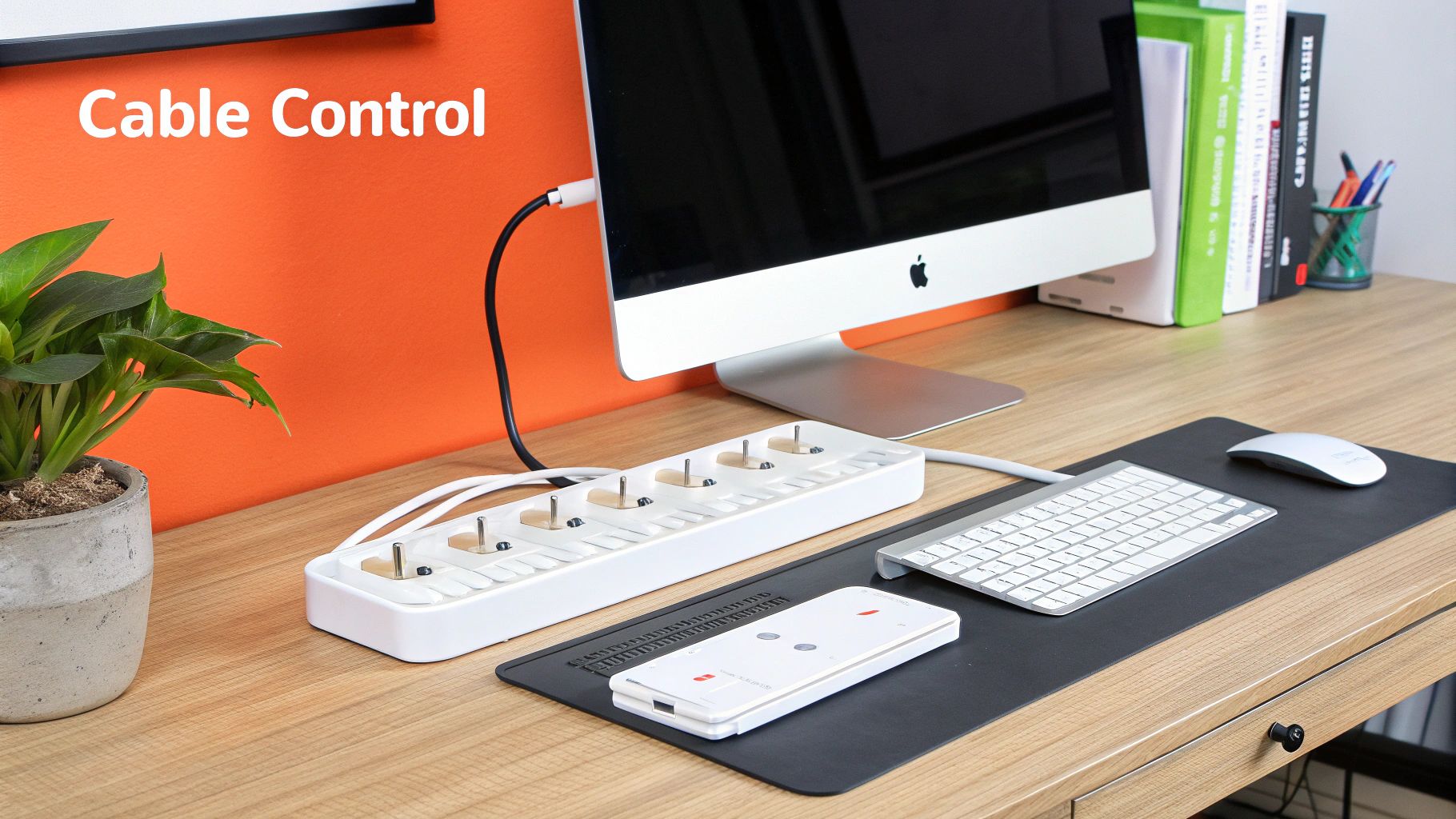
Let's be honest, the tangled nest of cords behind most desks is a universal problem. This "cable spaghetti" is more than just an eyesore—it’s a potential tripping hazard and a magnet for dust bunnies. Thankfully, a few simple tools can bring this chaos under control.
A great first step is to group cables together based on where they’re going. Wires for your monitor, power strip, and computer can all be bundled into a single, neat package.
For the ultimate clean look, an under-desk cable management tray is a game-changer. This simple metal or plastic basket screws to the bottom of your desk, giving you a hidden spot to stash your power strip and coil up all the extra cable length completely out of sight. You can find more creative approaches in our guide to small home office organization.
The technology you use every single day has a massive impact on your efficiency. While a basic laptop might get the job done, a few strategic upgrades can make a world of difference in your daily output and comfort.
Your monitor setup is one of the most important things to get right. Constantly switching between tabs on a tiny laptop screen is a huge productivity killer. Adding one or two external monitors gives you the screen real estate you need to multitask like a pro. For anyone looking to really boost their workflow, exploring different display configurations is key, as shown in this helpful a guide to a laptop dual monitor setup.
Your tech should remove friction, not create it. The right monitor, a reliable keyboard, and a fast internet connection are not luxuries—they are essential tools for professional remote work.
And speaking of essentials, a strong, reliable internet connection is non-negotiable. If your Wi-Fi is spotty in your office space, think about getting a mesh Wi-Fi system or a powerline adapter. This ensures you have a stable connection for all those video calls and large file transfers.
The shift to remote work has pushed people to invest more seriously in their home tech. In fact, around 20% of remote workers planned to relocate in 2025, driven by the new lifestyle flexibility their jobs allow. This trend means that high-quality home office setups—complete with multi-device configurations and solid connectivity—are becoming the standard for getting things done, no matter where you live.
A wireless keyboard and mouse are also excellent, easy wins for decluttering your desk surface. They get rid of two of the most visible cables, giving you a cleaner look and more freedom to move. By thoughtfully picking and organizing your technology, you create an environment that truly supports deep focus and helps you perform at your best.
A home office shouldn't just be a collection of functional furniture; it has to be a space you genuinely want to be in. Adding your personality is that final, crucial step that transforms a workspace into a place that actually inspires you. It’s all about finding that sweet spot between professional and personal comfort, turning your office into a powerful tool for getting things done.
This isn’t just about decoration. It's about forging a real, positive connection to your work. A few thoughtful choices can take a sterile corner and make it a space that reflects who you are and what you’re trying to achieve. The trick is to pick things and colors that energize you without creating a bunch of new distractions.
Never, ever underestimate the psychological punch of color. The shade you put on your walls can quietly nudge your mood and focus one way or another. Instead of just defaulting to plain old white, think about using a little color psychology to your advantage.
Beyond the paint, one of the easiest ways to breathe life into an office is to bring in some plants. It’s been shown that having plants around can lower stress levels and even clean up the air a bit. You don't need a green thumb—a low-maintenance snake plant or a simple pothos can add that pop of green and make the whole room feel more alive.
A huge mistake I see people make is treating their office like a temporary setup. When you invest a little time in personalization—picking a paint color you love or adding a favorite plant—you're signaling to your brain that this is a serious, dedicated, and positive place to be.
The final layer comes from the personal items you choose to surround yourself with. This is where you can really make the space your own, but you have to be intentional about it. A desk cluttered with random knick-knacks is just distracting, but a few well-chosen, meaningful items can be a real source of inspiration.
Think about adding art that speaks to you. It could be a framed print from an artist you admire, a motivational quote, or even your own photography. These visual cues give your mind a quick break and serve as a reminder of your own tastes and goals. Family photos, a souvenir from a great trip, or even just a mug from your favorite coffee shop can also help ground you and offer up little moments of joy during a tough day.
The goal is to curate a collection of things that add real value to your workday experience. By thoughtfully picking your colors, plants, and personal decor, you create a workspace that isn't just functional, but genuinely restorative. It becomes a reflection of you, and that makes it a much more pleasant—and motivating—place to tackle your to-do list.
When you're putting together a home office, a few key questions always seem to pop up. Whether you're starting from scratch or just trying to improve what you've got, figuring out the details can be a real headache. Let's tackle some of the most common hurdles with clear, practical advice to get your workspace right.
Think of these as the quick-start tips for solving the most common problems, so you can get back to what you're really supposed to be doing—your work.
This is the million-dollar question, and the real answer is: it's all over the map.
You can actually pull together a decent starting setup for as little as $200-$300 if you're clever about it. Think secondhand furniture finds and some basic organizers. For a more serious, ergonomically-focused setup—we're talking a new adjustable chair, a sturdy desk, and good lighting—you’re probably looking at a budget between $700 and $1,500.
If you're going all-in for a premium workspace with a top-of-the-line ergonomic chair, a sit-stand desk, a multi-monitor rig, and proper storage, you could easily spend $2,000 or more. The trick is to know where to put your money first. Always, always invest the biggest chunk of your budget into a high-quality chair. Your back will thank you down the road.
So many people make the mistake of buying everything at once. Just start with the absolute must-haves—a great chair and a solid desk—and build from there. You'll get a better feel for what you truly need once you've worked in the space for a bit.
The dream spot is always somewhere with minimal distractions and foot traffic. A spare room with a door you can close is the gold standard, no question. It gives you a real physical and mental line between your work life and your home life.
But let's be realistic—not everyone has a dedicated room to spare. If you have to carve out a corner in a living room or bedroom, find the quietest, lowest-traffic spot you can. Try to position your desk so you're facing a wall or a window, not staring out into the room where every little movement will catch your eye. You'd be surprised how much a simple room divider or even a well-placed bookshelf can do to make it feel like its own separate zone.
In a word: yes. If you're at your desk for more than an hour or two a day, an ergonomic chair isn't a luxury—it's a non-negotiable investment in your health.
That dining chair or barstool just wasn't built for sitting for long stretches. Using one is a fast track to bad posture, back pain, and all sorts of repetitive strain issues. A proper ergonomic chair is designed to support your body's natural alignment with things like adjustable height, armrests, and that all-important lumbar support. It is hands down the single most important piece of furniture in your office.
Staring at a box of parts and a confusing instruction manual? Let the pros take over. Assembly Smart offers quick, professional furniture assembly services to get your home office built perfectly, without any of the usual frustration. Get your free estimate and book an appointment at https://assemblysmart.com.